Captions & everyday learning
Two languages. One little moment of understanding.
Follow timed captions, revisit a line, and make subtitles easier to read with Tube Pro PiP’s bilingual caption tools.

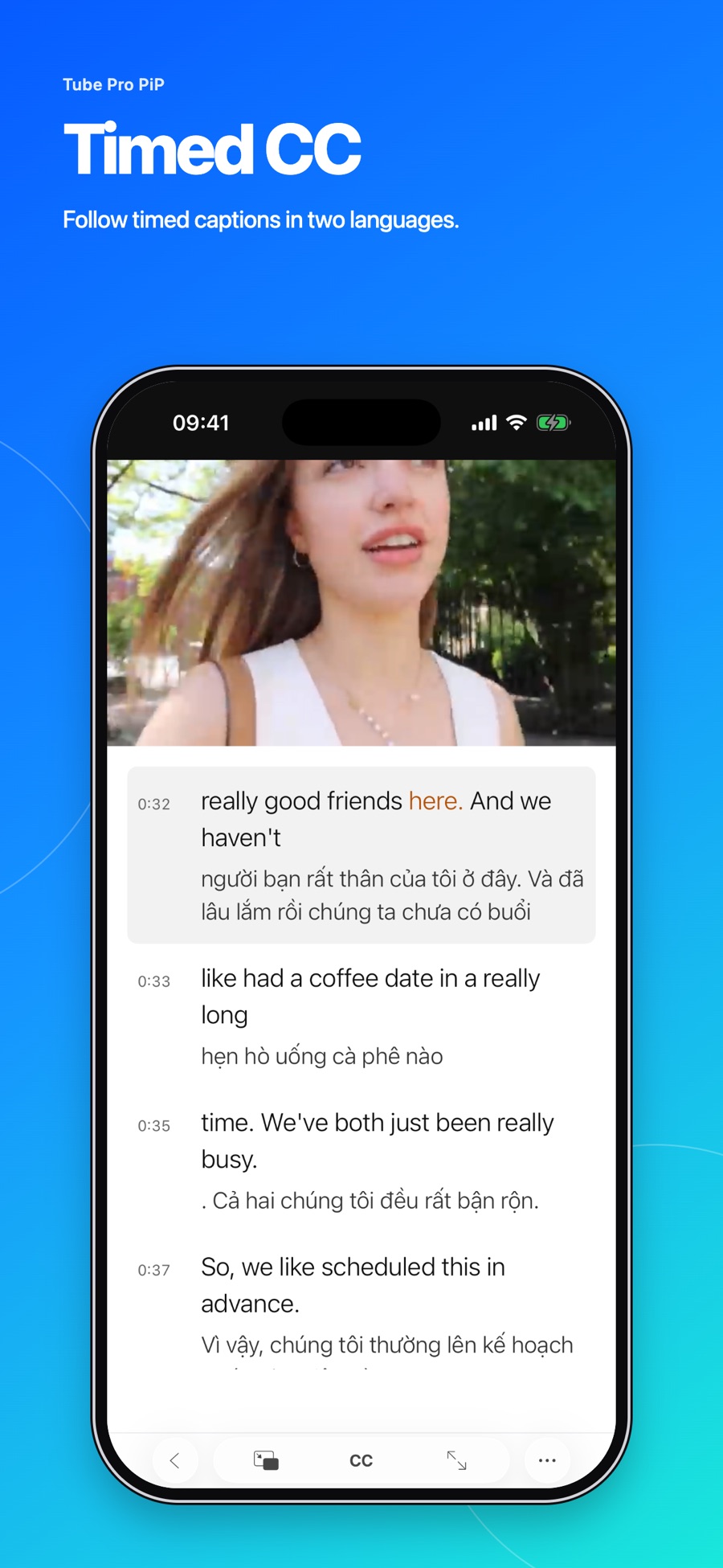
Sometimes a single line changes how much you understand. You hear a familiar expression, catch a new word, or want to check exactly what someone said.
Tube Pro PiP brings timed captions and a timestamped transcript to supported videos. When suitable tracks are available, you can show one language or two together.
Find a video with the tracks you need
Start a video and open the caption controls. Choose from the available caption languages. For bilingual viewing, select two available languages so you can follow the original and another language together.
Caption availability varies between videos. Not every video has subtitles, and not every subtitle language is offered. If a language is missing, try a different video with the tracks you need.
Return to a line instead of guessing
The transcript gives you a way to find your place. Tap a caption line to return to that moment in the video. This is useful when you want to hear a phrase again without searching along the playback bar.
When word-level timing is available, Tube Pro PiP highlights the current word. Some tracks provide timing for a full line rather than individual words, so word highlighting won’t be available everywhere.
Make the words comfortable to read
Adjust caption text size, color, and placement. A small change can make a difference when you’re watching on a phone or reading for more than a few minutes.
Try a short section before settling on your settings. Check that the text is easy to read and that it doesn’t cover the part of the video you care about.
Keep language practice small
For a simple listening routine, watch a short section once, return to one useful line, then listen again. You could repeat the phrase aloud or note a word you want to remember.
Two languages can help you check meaning, but captions may contain mistakes. Use the surrounding conversation to understand the line. For consequential details, check an original or authoritative source.
Tube Pro PiP is a playback and caption tool. The captions depend on the video’s available tracks and timing; it does not guarantee a translation or a word highlight for every video.
When you’re ready to watch while taking notes, try our Picture in Picture guide.